rp569 — RP2350B × CH569, USB 3.0 for PIO
An open-hardware board (KiCad) that pairs a Raspberry Pi RP2350B with a WCH CH569W. The RP2350B generates or samples data with its PIO blocks; the CH569 receives it over an 8-bit parallel bus (HSPI) and streams it to a host over USB 3.0 SuperSpeed.
Status: v1.0 — schematic complete, PCB fully routed (4 layers, 50 × 70 mm, 0 unconnected, 0 DRC errors), JLCPCB production files generated. Not fabricated yet. First firmware for both chips (builds, untested on hardware): firmware/. Source on GitHub.
| Top | Bottom |
|---|---|
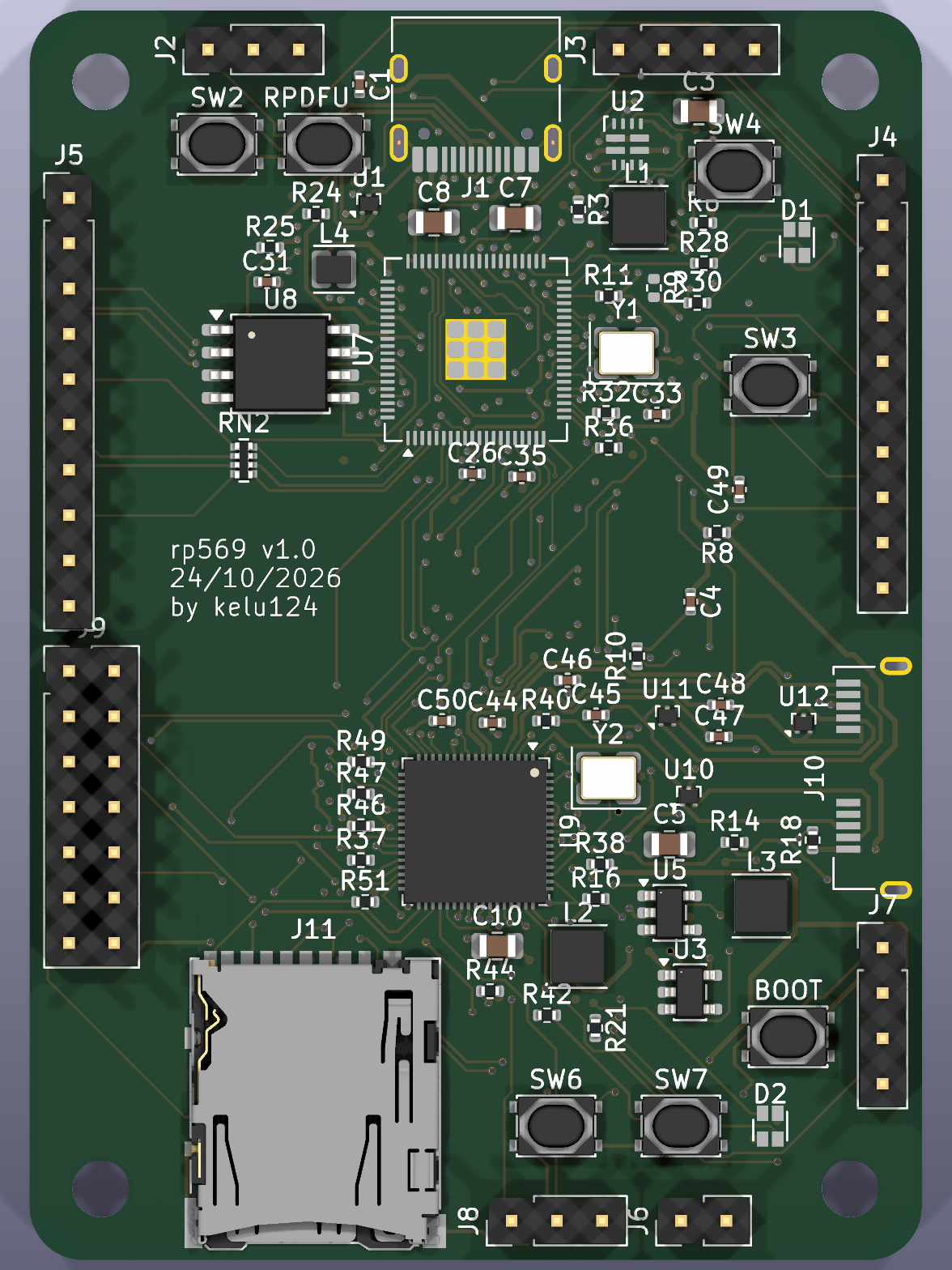 |
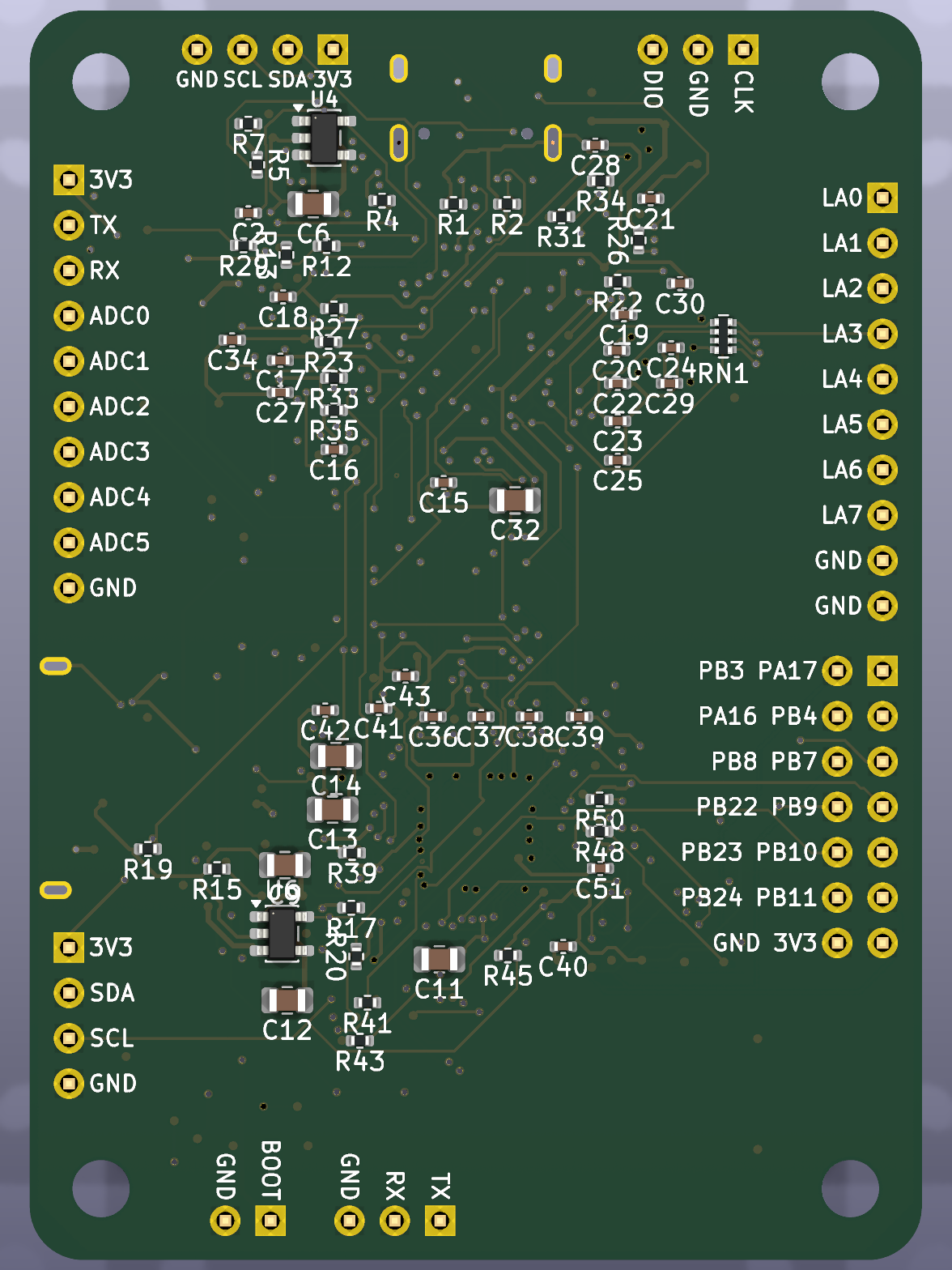 |
What it does
| Block | RP2350B | CH569W |
|---|---|---|
| USB | USB 2.0 on USB-C (firmware, debug, test control) | USB 3.0 SuperSpeed, Micro-B with through-hole legs |
| Storage | 16 MB QSPI flash | microSD (4-bit) on the eMMC/SD controller |
| User I/O | RGB LED, 2 buttons, I2C header, 1x10 header (ADC, debug UART) | RGB LED, 2 buttons, I2C header, 2x07 header (12 GPIO) |
| Boot | BOOTSEL + RUN | BOOT button + jumper (blank chip) |
- Inter-chip links: 8-bit HSPI bus with clock and handshake, shared I2C, UART.
- Logic analyser: 8 RP2350 inputs (GPIO0–7) sampled by PIO and streamed over HSPI → USB 3.
- Test automation: the RP2350 switches the CH569’s power, drives its reset and its boot pin, so the CH569 can be power-cycled and reflashed over USB without touching the board.
- Power: USB-C and USB3 VBUS combined by a TI TPS2121 power mux (no back-feed); the CH569 has its own switched supply.
Documentation
| Page | Content |
|---|---|
| Architecture | Block diagram, inter-chip links, power and boot control |
| Pin map | Every RP2350B ↔ CH569 pin, with datasheet references |
| Power | Power paths, TPS2121 mux, CH569 load switch, rails |
| Layout and routing | How the KiCad files are generated, placement, net classes, routing (Freerouting / KiCadRoutingTools) |
| Bill of materials | JLCPCB parts with LCSC numbers, stock, consigned parts |
| Production | Ordering at JLCPCB: files, settings, checklist |
| Images | 3D renders, layer plots, assembly views |
| CH569 hardware notes | Notes from the CH569 datasheet and reference designs |
| Hackaday drafts | Project-log drafts |
| Firmware | RP2350B command line and CH569 USB3 firmware: build, flash, bring-up |
| Python library | Host library: finds each chip’s serial port, one method per firmware command |
Requirements and design decisions (R-xx, D-xxx) are in specification.md at the repository root.
Downloads
| File | |
|---|---|
| rp569-gerbers.zip | Gerbers + drill files (JLCPCB) |
| rp569-bom.csv | Assembly BOM with LCSC part numbers |
| rp569-cpl.csv | Assembly placement |
| Schematic (PDF) | |
| KiCad board | Routed v1.0 board (KiCad 10) |
How the design is made
The KiCad project is generated from one Python file, hardware/gen/board.py (parts, footprints, pin→net map):
hardware/gen/build.sh writes the schematic, the placed PCB and the net classes and runs ERC/DRC. Routing used
KiCadRoutingTools (hardware/gen/route_krt.sh), finished by hand in pcbnew. hardware/gen/gen_fab.py writes the
production files and hardware/gen/gen_renders.py the images. Details: Layout and routing.
References
- HydraUSB3 — open-source CH569 dev kit, firmware and HSPI/USB3 drivers.
- phantomdrive — open-source CH569W USB3 drive with SD card.
- RP2350 datasheet and hardware design guide.
- KiCadRoutingTools, Freerouting.